



Infomaniak is an internet services provider with a significant infrastructure in Switzerland and customers across Europe. Its main shareholder is a public interest foundation, which guarantees its independence from major players in the digital economy.
It offers shared web hosting and Managed Cloud Server hosting, both designed to meet environmental standards and benefit from Switzerland's strict data protection legislation. This article compares the two offerings based on my own experience maintaining CMS platforms such as Joomla and WordPress at Infomaniak — including this very website.
Order web hosting for your website
Infomaniak does not use a standard interface like cPanel, but rather an in-house developed system. Given the variety of services on offer, the interface can sometimes feel frustrating to navigate if you're only using it for web hosting. The good news is that the site provides excellent documentation, which uses distinct URLs, therefore bookmarking key pages in your browser or note-taking app can be a real help. Euria, their in-house AI, can also come in handy.
To create a new website, start by choosing a domain name. During registration, you have the option to add the Fast Anycast system, which speeds up domain name resolution worldwide for just a few francs per year — Infomaniak claims a 34% improvement in access speed to your site. You can then choose between shared hosting or a Managed Cloud, the two most common options that require no particular technical skills. Infomaniak offers its own Site Creator, limited to one website under shared hosting, but as a proponent of open-source solutions, I've never tested it and wouldn't recommend it, as it would tie your site to that specific host.

Creating a Website with Shared Hosting
Basic shared hosting will meet the needs of most standard websites. A webmaster can host up to 20 sites with truly unlimited traffic (without any overbilling), but whose delivery performance depends on the limited system resources (CPU, I/O, memory) allocated to his/her account on the shared server. Over 100 web applications can be installed automatically, including popular ones like WordPress, Joomla, Drupal, and PrestaShop, though these are more resource-intensive. A free Let's Encrypt SSL certificate comes pre-installed with the hosting.
The interface allows you to create user accounts for SFTP and SSH file access, and MariaDB (MySQL) databases within the available disk space. Once your public SSH key is set up, you can connect via your own terminal and interact with the CMS via command line — for example, instantly syncing files and databases with a development site, or performing a full backup of both files and database using a shell script.
Security and Maintenance
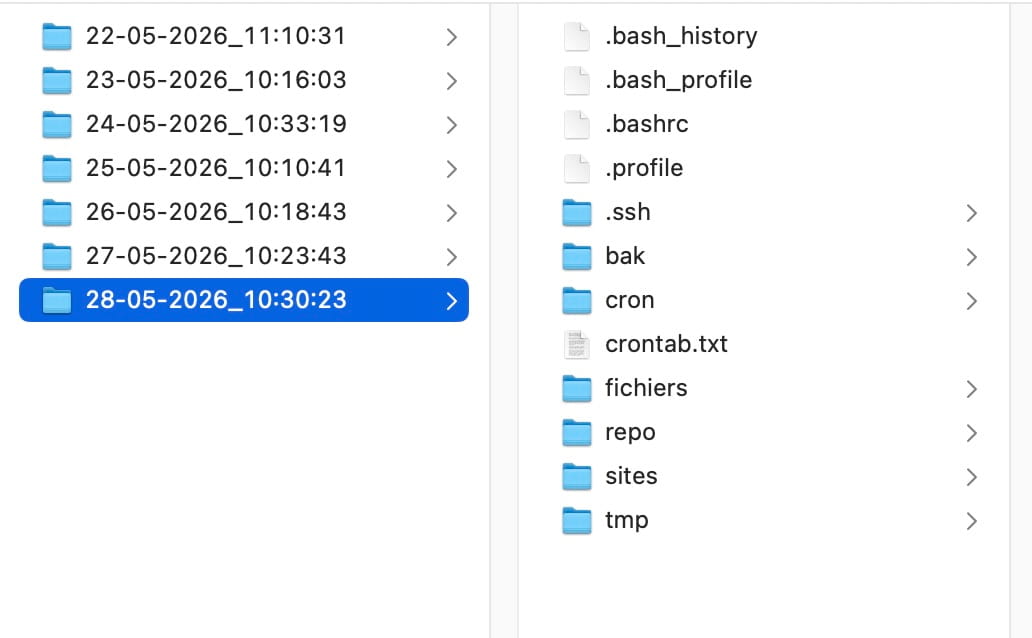
Infomaniak includes by default on all plans an interface for accessing automatic backups from the past 7 days, stored across different data centres as a precaution. You can either replace the current site with a previous version or download individual elements. A handy tip: you can access backed-up files in read-only mode via SFTP from the backups folder. Note that the database and files may be backed up at different times, which is worth bearing in mind when using automatic CMS updates.
A webmaster can access access logs and errors via SFTP/SSH in the ik-logs folder — which is convenient, since the online log viewer with its next/previous page buttons is rather clunky.
On the security front, Infomaniak offers DDoS protection, scanning for vulnerable or outdated software, and automatic security patching (Patchman) for popular CMS platforms after 48 hours including Joomla, WordPress and WooCommerce, Drupal, Magento, and PrestaShop. The system also allows you to trigger the patch manually.
Scheduled tasks let you activate certain CMS functions at regular intervals — for example, refreshing the cache, clearing session or log data, triggering updates or backups. The basic hosting plan unfortunately only offers a webcron with a minimum frequency of 15 minutes, which is somewhat limited but better than nothing. You'll need to upgrade to a Managed Cloud Server to get down to 1 minute, or to schedule SSH cron jobs.
Technical Support
To reach technical support, you first go through an online agent that suggests answers from existing documentation. If that doesn't resolve the issue, it will offer to connect you with support via email or phone in several languages, including French and English. Wait times may vary depending on the time of day. There is also a premium support service available, which agencies in particular will appreciate.
Creating a Website with Managed Cloud Server Hosting
With shared hosting, you share resources with other websites. If one site consumes too many resources, Infomaniak will ask it to move to Managed Cloud Hosting so as not to penalise other customers.
With a Managed Cloud, the host handles the installation and maintenance of the virtual server. There is also an equivalent unmanaged option called VPS Cloud, which gives you control over the choice of Linux (or even Windows) distribution, root access and full freedom over configuration and installed applications — but naturally requires solid system administration skills.
Performance, Performance
In terms of performance, shared hosting is theoretically limited to 20 PHP-FPM workers per site, though it also depends on the overall CPU/RAM resources dynamically allocated among users. The entry-level Cloud hosting starts at 40 workers, with the ability to adjust this number per site based on available memory, or to increase the ceiling by ordering additional resources. In short, with a Cloud Server, the amount of available resources is clearly defined, guaranteed, and plannable.
Website performance of course depends on many other factors: how the application is coded, the number and quality of plugins used, the integrator's expertise, database query optimisation, and available caching systems. Unlike shared hosting, advanced PHP extensions can be installed on the Managed Cloud, such as Opcache, Redis, Memcached, and Varnish. Opcache speeds up the site by caching PHP script bytecode and is strongly recommended for running certain CMS platforms like Drupal. Improving application performance increases server performance, which is critical for high-traffic websites.
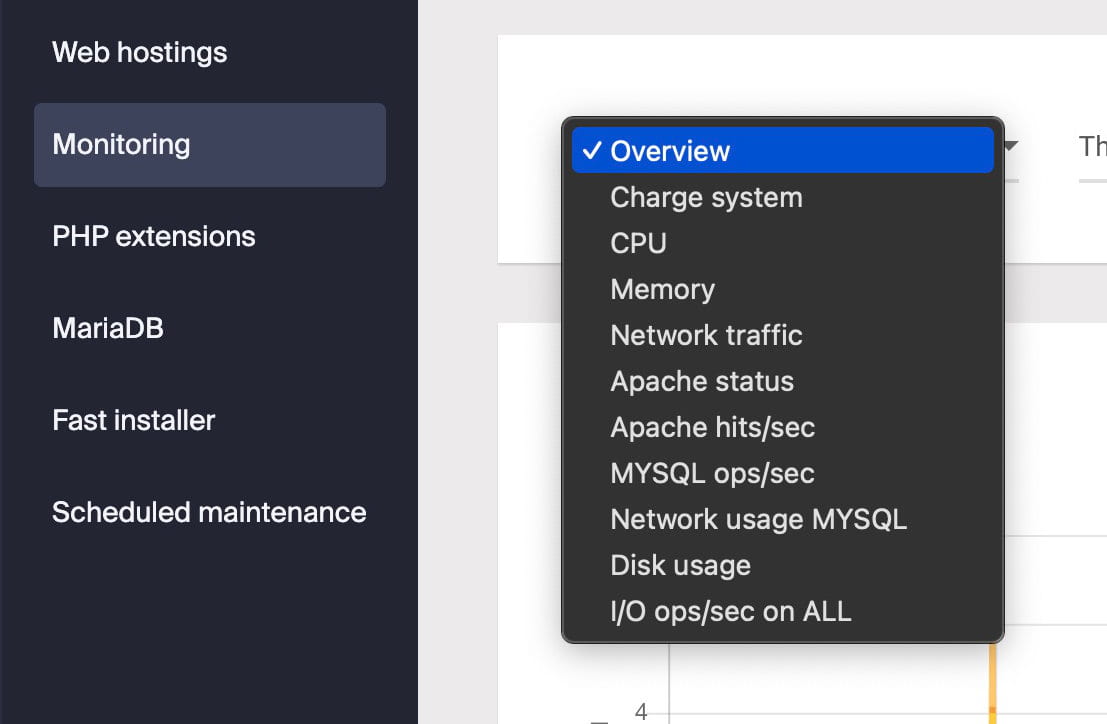
A server load monitoring dashboard lets you track performance of your Cloud Hosting and, if needed, temporarily order additional resources on a monthly or quarterly basis (for example during an event or product launch). Used cautiously, a good multimodal AI can help you understand certain technical details of the dashboard from screenshots.
If performance improvement is one of the key advantages of Managed Cloud, a web agency wishing to host its clients' sites can also create up to five separate hosting environments in the first tariff level of the Cloud server, or restrict FTP access to a specific folder. This keeps each client's access siloed to their own site, improving security.
In the End
Infomaniak's basic hosting offers excellent value for money with very good performance for shared hosting — especially when you factor in all the additional services included or available as add-ons: email, newsletter, kMeet, kSuite (sovereign collaborative software similar to Office), SwissBackup, SwissTransfer, kPaste, video hosting, AI, security tools.
The Managed Cloud Server is better suited to
- higher-traffic websites or with intermittent traffic peaks,
- that manage user profiles, which does not allow you to cache the same identical HTML code for all,
- focusing on security,
- or web agencies looking to host their clients' sites without having to worry about the administration of a server.
Cost-conscious users or those seeking a more tailored service may be tempted to look at competing cloud offerings. Infomaniak seems well aware of this, as — even if it's not prominently featured — the hosting company has put together a low-cost unmanaged option at CHF 2.70 per month called VPS-lite, with limitations compared to the base offering (such as only being able to upgrade rather than downgrade), with the ultimate goal of migrating users toward a full unmanaged Cloud plan.
| Web Hosting | Managed Cloud Server | |
|---|---|---|
| Shared | Base plan: 4 CPU, 12 GB RAM up to 128 GB | |
| Estimated annual cost (excl. VAT) adaptable to the cost of living according to the country |
CHF 131 | CHF 461 |
| Server | Apache/htaccess or Node.js | Apache/htaccess or Node.js |
| Location | Geneva (Switzerland) | Geneva (Switzerland) |
| Languages of the interface | French, English, German, Italien, Spanish, Portuguese, Dutch | |
| Payment | Bank transfer, Prepaid account, Paypal, Twint, Credit cards, Postfinance, eBill. | |
| Load balancer | Ha proxy | Ha proxy |
| Number of sites | 20 up to 100 max | 20 up to 400 |
| Number of hosting environments | 1 | 5 up to 100 |
| Disk space | SSD, 250 GB included, up to 650 GB | SSD, 250 GB included, up to 3 TB |
| Access | SFTP, SSH, WebSSH and WebFTP | SFTP, SSH, WebSSH et WebFTP |
| Max PHP version | 8.5 | 8.5 |
| PHP workers (max children) | 20 max | 40 (adjustable and scalable) |
| Memory limit per script | 640 MB up to 1280 MB | 640 MB up to 2048 MB |
| Time for script execution | From 60 seconds to max. 300 seconds | From 60 seconds to max. 3600 seconds |
| Data transfer | Unlimited | Unlimited |
| Opcache, Redis, Memcached, … | No | Yes |
| Databases | Unlimited (MariaDB 10.11) | Unlimited (MariaDB 10.11) |
| Slow queries log | On request | On request |
| Webcron | 15 minutes | 1 minute |
| CronJob SSH | Non | Yes |
| DDoS protection | Yes | Yes |
| Patchman | Yes | Yes |
| Backup snapshots | 7 days | 7 days |
| Tableau de bord de charge système | No | Yes |
| Access logs | Via SSH, SFTP and web console | Via SSH, SFTP and web console |
| PHP Environment variables | Yes | Yes |
| AddType | Panel only | Panel only |
Source: Infomaniak comparison table